Can the equipment I import from China provide the localized language options my US customers need?
Activate Games Expert Allen Zeng
10/23/20255 min read


I have stood on trade-show floors, watched excited buyers lean over glossy control panels, and felt their worry: will my customers understand every menu, every warning, every voice prompt?
Most Chinese-made industrial and entertainment machines now ship with multilingual firmware that includes English-US by default; many also bundle Spanish, French, German, and additional languages, and advanced suppliers allow new languages to be uploaded later through firmware or option packs.
I want you to see exactly how to lock in the right language support before you sign the purchase order, so keep reading and avoid a costly surprise.
Which US language variants and dialects can I request for my machines?
I have met owners who lost sales because a perfect machine said “colour” instead of “color” or showed a Celsius-only temperature. Let’s fix that pain before it hits.
You can normally request US-English, Latin-American Spanish, Quebec French, and occasionally US Vietnamese or Cajun French; specify the exact variant in your contract, and the factory will preload or unlock it if their firmware architecture supports modular language packs.
Why dialect precision matters
When I first sourced motion-sensor consoles for a profitable arcade game solutions rollout, I learned that “localized” can mean anything from a British spell-check to full voice synthesis in Spanish.
Standard bundles
Most export-ready firmware already stores an English resource table. Factories add Spanish and French because those markets are huge. I insist on seeing screenshots: Settings → Language → list. If I don’t see “English (US)” rather than generic “English”, I push back.
Upgrading the package
Some advanced controllers—think CNC or LED reaction game solutions inside an interactive game room manufacturer rack—treat languages as optional licenses. The vendor emails a text file, I load it via USB, and a new flag in the EEPROM activates “es-US” or “fr-CA”. The key is that the fonts, character sets, and right-to-left logic already live in the kernel.
Testing real phrases
I ask the maker to display safety sentences like “Press STOP in an emergency.” Bad machine-translated wording screams trouble. If needed, I supply a CSV of phrases, and the firmware team compiles it into a language DLL.
Takeaway
Spell out dialect, measurement units, and even date order (MM/DD/YYYY) in the purchase spec. That one page of detail saves months of field complaints.
How do I submit my translation files or wording preferences to the factory?
I hate wasting engineering time on endless email threads. The smoother the hand-off, the faster my cash registers ring.
Send a two-column spreadsheet (source text | target text) or an industry-standard XML/PO file; most factories import it directly into their i18n pipeline, recompile firmware, and return a release candidate for your sign-off within one or two sprints.
A proven workflow for painless localization
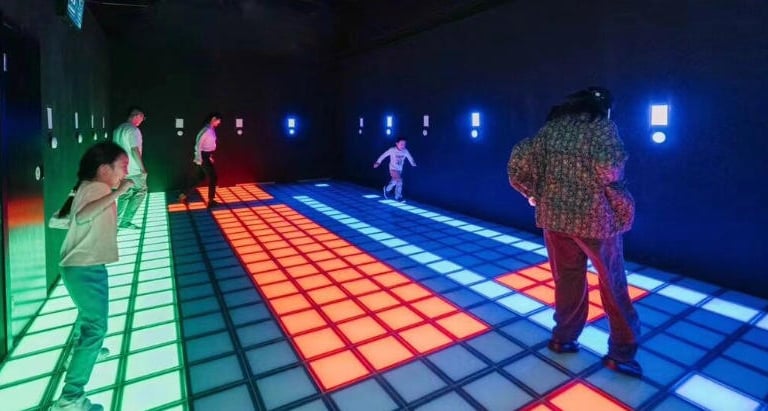
When I localized an interactive projection floor games line, I followed a strict checklist.
1. Extract the master strings
Good suppliers export a CSV or Excel file pulled from their resource database. If they can’t, I run a screen capture of every menu and build the list myself.
2. Translate or review
For safety-critical wording I hire a certified translator; for fun UI text—say, interactive fitness games—I tweak it personally to match brand voice.
3. Provide the file
Factories prefer UTF-8 CSV. Some accept PO or XLIFF. I email it and store the hash on my drive so any later build mismatch is obvious.
4. Integration sprint
Their firmware team merges the new file, re-flashes a sample unit, and sends me photos or a video walkthrough. I mark corrections in red.
5. Golden image approval
We freeze a checksum-verified binary. Every production unit must match that CRC.
6. Version control for future updates
I keep the translation file in Git. When a new feature adds strings, diff highlights what needs work.
Bottom line
Treat language assets as software, not marketing copy. Clear file formats, checksum control, and an agreed review schedule keep both sides calm.
Are on-screen UI, voice prompts and user manuals all localizable?
I have watched operators install gorgeous hardware only to hand customers a PDF in broken English. I refuse to let that happen on my projects.
Nearly every touchpoint—HMI screens, audible alerts, printed or digital manuals, packaging labels—can be localized, but you must specify each item in the contract and demand proof copies before final payment.
Digging into each content layer
My rule: if a customer can see, hear, or read it, we can translate it.
On-screen elements
Modern ARM-based HMIs use Unicode fonts and bitmap icons. The vendor maps your text into those glyphs. For complex layouts I ask for the project file (often in WinCC or Codesys) so I can inspect font scaling.
Voice prompts
Some suppliers bundle TTS engines. Others record WAV files. I once supplied a voice-over artist to redo a safety countdown for an interactive dodgeball game. The factory swapped the audio in minutes.
Manuals and quick-start guides
They usually arrive in Word or InDesign. I perform desktop publishing myself or hand it to a local agency. The key is keeping diagrams intact. After review I give the print-ready PDF back to the manufacturer so they include the correct booklet inside each crate.
Labels and compliance marks
UL, FCC, and OSHA wording must follow US code. I email the exact label layout. Factories print it on polycarbonate stickers during the final assembly line.
Tip
Add a clause: “All customer-facing text shall use translations approved by Buyer; unapproved text triggers corrective action at Seller’s cost.” That sentence has saved me thousands.
Will localization be maintained and updated with future software releases?
Nothing hurts credibility like upgrading firmware and watching the UI revert to Chinese. I’ve lived through that nightmare once and never again.
Yes—if the supplier stores languages in external resource files or modular firmware, each new update can auto-pull the existing translations; insist on that architecture and require a changelog that flags any new strings for translation before rollout.
Ensuring lasting language integrity
Resource segregation
The safest systems separate core code from language packs. When I sourced controllers for a multiplayer interactive team building games arena, the vendor delivered a /lang folder with JSON files. Updates touched .bin executables only, leaving translations intact.
Update protocol
I sign an SLA: any firmware update must keep previous language files or provide a migration script. We test on a staging unit for one week before pushing live.
Continuous localization pipeline
Great factories run a CI/CD job that scans new commits for hard-coded strings. If found, the build fails. I ask to see that rule in their GitLab config.
Version tagging and rollback
Every language pack carries a semantic version. If an update breaks something, I copy the old pack over SSH and the system instantly reverts.
Long-term budget
Allocate 5-10% of annual maintenance fees for translation updates. Languages grow. Safety standards change. Planning funds now avoids emergency patches.
My mantra
Localization is never “done.” It is a living asset. Guard it with process, tooling, and budget the same way you guard cybersecurity.
Conclusion
Define dialect, lock translation workflow, and demand modular language packs—do that, and every machine you import will speak to your US customers on day one and every day after.
Connect
Join us in revolutionizing interactive entertainment.
© 2025. All rights reserved.