Comprehensive Guide to Programming LED Interactive Game Floor Software
Activate Games Expert Allen Zeng
10/20/20253 min read
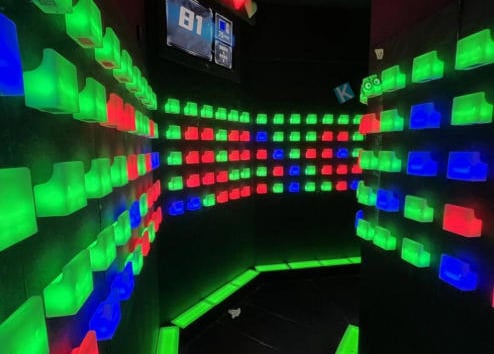
Interactive LED floors turn physical space into a playground — combining lighting, sensors, and game logic to create experiences that are both immersive and measurable. Whether you’re building installations for arcades, family entertainment centers, or corporate team-building events, writing good floor software is the foundation of a compelling experience. This guide walks through the technical and design fundamentals you need to program reliable, scalable LED interactive floors.
Why software matters for interactive floors
Hardware (LED tiles, pressure sensors, cameras) is only half the story. Software defines gameplay, responsiveness, and safety. Latency, robust sensor interpretation, and maintainable codebases are the difference between an experience that delights and one that frustrates. Well-written software also makes it easy to add new games, integrate analytics, and support remote updates—vital for businesses delivering profitable arcade game solutions and repeatable, branded experiences.
Core system components
A typical LED floor setup includes:
LED tile controllers (addressable LEDs with per-tile buffering)
Sensors: pressure mats, infrared beams, TOF/LiDAR, or cameras
Edge compute: a local server or microcontrollers that run the real-time loop
Networking: wired (preferred) or reliable low-latency wireless protocols
Management UI: for calibration, diagnostics, and content scheduling
When programming, treat each component as a service with a clear contract: what data it produces, the expected frequency, and how errors are communicated.
Languages, frameworks, and real-time concerns
Most installations use a hybrid approach:
Microcontrollers / embedded (C/C++): for deterministic LED refresh and sensor polling.
Edge servers (Node.js, Python, or C#): for orchestrating game logic, networking, and database logging. Node.js is common when you want easy websockets and rapid iteration; C++ or Rust excels when latency budgets are tight.
Use a publish/subscribe architecture (MQTT or lightweight websockets) to decouple sensors, game logic, and LEDs.
Key real-time considerations:
Aim for frame-to-action latency under 50ms for reactive games.
Use fixed-step loops for sensor sampling and separate rendering loops for LED updates.
Buffer carefully: smooth animations on LEDs while ensuring input events are processed immediately.
Design patterns & architecture
Adopt patterns that simplify complex behaviors:
Event-driven architecture: sensors emit events, game state machines react.
State machines: model each game mode (idle, countdown, active, scoring, cooldown) with deterministic transitions.
Plugin system: make individual games modular so new titles (for example, mini-games for interactive team building games) can be added without touching core engine code.
Entity-component systems (ECS): useful when many objects are active and you want data-driven behavior.
Write a small, well-documented API for hardware interactions (e.g., emitLEDPattern(tileId, patternId) and registerSensorCallback(sensorType, cb)).
Game logic & UX best practices
Good UX relies on immediate, unambiguous feedback:
Visual feedback: use contrast and motion to guide players. LED brightness and color should map clearly to states (success, danger, pending).
Audio cues: synchronize short, low-latency sound effects with LED transitions for multisensory feedback.
Difficulty scaling: adapt game speed or target sizes based on player performance to keep sessions engaging.
Accessibility & safety: provide modes for reduced brightness, slower speeds, and clear emergency-stop handling.
For family-friendly installations and venues focused on kids, consider designing content specifically for interactive entertainment for kids: shorter rounds, forgiving scoring, and visually simple patterns.
Sensor fusion & calibration
Most floors use multiple input types to reduce false positives:
Combine pressure mat data with overhead camera zone detection to confirm player presence.
Implement calibration routines: per-tile thresholds for pressure sensors, baseline noise subtraction for cameras, and LED color profiling for consistent appearance across tiles.
Provide a diagnostic UI that shows raw sensor readings and allows technicians to run per-tile tests.
Networking, logging & analytics
Design for observability from day one:
Log gameplay events (hits, scores, timestamps) to a local DB and optionally sync to cloud analytics for KPI tracking.
Ensure the telemetry format is compact and timestamped in UTC for cross-site comparisons.
Use secure channels for remote updates (TLS) and authenticated APIs for management.
Operators love reports showing utilization, average session length, and top-performing games—data that drives more profitable arcade game solutions.
Testing & performance tuning
Testing should cover unit, integration, and field tests:
Automated unit tests for game logic and state transitions.
Hardware-in-the-loop tests that feed prerecorded sensor streams into the engine.
Latency profiling to measure the time from sensor detection to LED update. Use high-resolution timers and histogram analysis to find outliers.
Simulate edge cases: network loss, sensor dropouts, and simultaneous multi-player contention.
Example applications & business use cases
LED floors are versatile: from single-player reaction tests to full-scale arenas. Popular applications include interactive projection floor games where projection mapping augments LED visuals, and corporate event offerings that pair physical play with branded content for interactive team building games. Manufacturers and integrators often position themselves as full-service providers—combining hardware, game content, and management software—to clients seeking turnkey installations.
If you are an interactive game room manufacturer, consider offering white-label game packages, a CMS for scheduling, and tiered maintenance contracts.
Deployment & maintenance
Plan lifecycle support:
Provide an OTA update mechanism with rollback.
Include remote diagnostics and an on-site “self-test” mode for quick recovery.
Document emergency procedures and ensure that safety cut-offs are hardware-enforced.
Conclusion
Programming LED interactive game floor software is a cross-disciplinary challenge that blends real-time engineering, hardware integration, UX design, and operations. Focus on low-latency event loops, modular game architectures, and strong observability to deliver experiences that are safe, repeatable, and fun. By building an extensible system you’ll be able to support a portfolio of titles—from interactive projection floor games and motion sensor games for entertainment to collaborative interactive team building games—that delight players and drive revenue for operators.
Connect
Join us in revolutionizing interactive entertainment.
© 2025. All rights reserved.