Troubleshooting Connectivity Issues in LED Interactive Game Floors
Activate Games Expert Allen Zeng
10/21/20253 min read
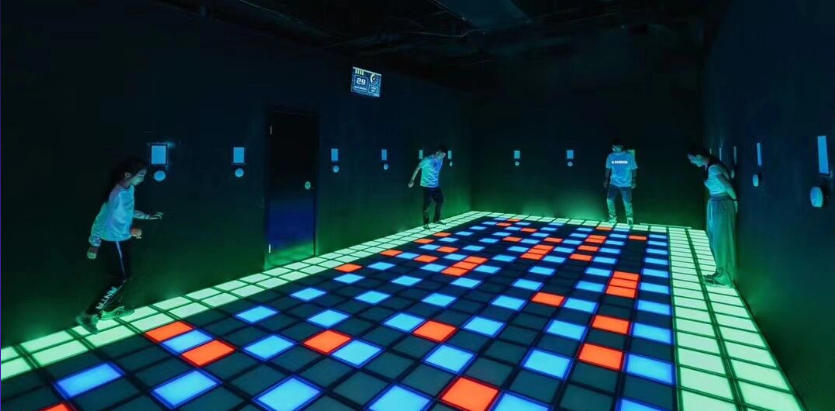
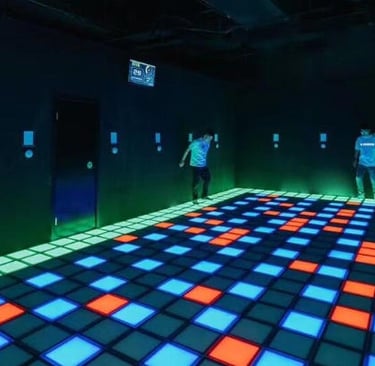
In today’s high-tech world of interactive game room manufacturer solutions, LED interactive game floors have become a staple of immersive, family-friendly entertainment. Whether used in a family entertainment center, a school gymnasium, or a corporate team-building event, these floors offer dynamic gameplay experiences that combine lights, motion sensors, and real-time interaction. However, just like any digital-physical hybrid system, connectivity issues can arise and impact the functionality of the floor.
If you're facing problems with your LED interactive floor not responding, lagging, or failing to connect to other systems, this guide is here to help. We'll walk you through common causes, troubleshooting methods, and best practices to keep your interactive entertainment running smoothly.
Understanding the System Behind LED Interactive Game Floors
LED interactive game floors typically integrate several components:
LED display panels
Motion sensors
Control software
Game logic processors
Networking equipment (e.g., Wi-Fi routers or LAN connections)
These components must communicate seamlessly to deliver real-time responses and immersive visuals. Many LED game floors are part of broader systems like interactive projection floor games or custom active games, which involve multiplayer interactions and advanced tracking.
When one or more of these components experience connection failures, it can lead to delays, misfires, or complete shutdowns of the gaming experience.
Common Connectivity Issues and Their Causes
1. Wi-Fi or LAN Disruptions
The most frequent culprit in connectivity failures is a poor or intermittent internet connection. LED floors often rely on local area networks (LANs) or Wi-Fi to connect with game servers or player controllers. Any fluctuation in signal strength can disrupt game communication.
2. Software Glitches
The control software that manages the LED sequences and gameplay logic can crash or freeze, especially if it's outdated or overloaded with data. Improper configuration or conflicts with other programs can also cause connectivity interruptions.
3. Firmware or Driver Incompatibilities
If the LED floor system uses external drivers or firmware to connect with other interactive entertainment for kids modules or motion sensor games for entertainment, mismatched updates can block communication entirely.
4. Hardware Malfunctions
Loose wiring, faulty sensor arrays, or damaged LED panels can lead to partial or full disconnection from the system. It’s crucial to periodically inspect all physical connections.
5. Environmental Interference
LED floors in interactive trampoline park games or other high-motion environments can be affected by vibrations, dust, and temperature variations that may cause hardware to misbehave or lose connection intermittently.
Step-by-Step Troubleshooting Guide
Step 1: Restart the Entire System
Start with a simple reboot of all hardware and software components, including routers, LED panels, and the main controller. Often, temporary bugs or memory overloads can be cleared this way.
Step 2: Check Network Stability
Use a network analyzer to confirm that your Wi-Fi or LAN is operating at optimal speeds. Avoid placing routers near large metal objects or other electronics that could cause interference. For commercial setups, hardwired LAN is preferred for stability.
Step 3: Inspect All Cables and Connectors
Physically inspect the power cables, data connections, and sensor wires for any signs of wear, loose connectors, or damage. Replace or resecure as needed.
Step 4: Update Software and Firmware
Visit the manufacturer’s website or control dashboard to check for the latest updates. Ensure that firmware for all interactive components—such as interactive climbing wall systems or LED modules—is compatible and up to date.
Step 5: Run Diagnostic Tests
Most LED reaction game solutions come with built-in diagnostics tools. Use these to check each component’s status and isolate the source of the failure. If no diagnostics are available, consider third-party system monitors or engage your interactive game installation services provider for support.
Preventive Maintenance Best Practices
To avoid frequent connectivity issues in the future, implement the following strategies:
Schedule regular maintenance: Routine inspection and cleaning of hardware components can prevent deterioration.
Create a software update calendar: Keep all systems synchronized by applying updates uniformly across all devices.
Train staff or technicians: Ensure that your operators understand how to perform basic troubleshooting and when to escalate to support.
Implement surge protection: Prevent damage during power fluctuations by installing voltage regulators and surge protectors.
Test before events: Before large events or sessions, perform a full test to identify and address potential connectivity bottlenecks.
When to Call the Professionals
If you’ve tried all troubleshooting steps and the system still doesn’t perform reliably, it may be time to consult with your customizable active game rooms supplier or reach out for professional interactive game installation services.
Experienced technicians can use advanced tools to trace connectivity issues within integrated setups like multiplayer interactive arena games or active escape room technology environments. These complex systems often require specialized knowledge to debug.
Conclusion
Maintaining optimal performance in your LED interactive game floor is crucial to delivering seamless and engaging experiences for players of all ages. From interactive fitness games to immersive team-based challenges, these systems rely heavily on consistent connectivity to operate effectively.
By following the troubleshooting steps and preventive practices outlined in this guide, you can minimize downtime, extend the lifespan of your equipment, and ensure a rewarding experience for your visitors. Whether you're managing a family entertainment center or launching a new profitable arcade game solution, connectivity is the backbone of your success.
Don’t let small disruptions become major frustrations—stay ahead with proper maintenance, and partner with trusted professionals who understand the future of digital-physical hybrid games.
Connect
Join us in revolutionizing interactive entertainment.
© 2025. All rights reserved.